

Written Nov 12, 2026, and added to our archive on Nov 16, 2026. Specs and prices were checked on Nov 12, 2026.
Quick verdict
- Every iPhone 17 model has MagSafe built in, so any MagSafe wallet or stand snaps straight onto the phone or onto a MagSafe case. Apple's store lists the accessories below for the iPhone 17, iPhone Air, iPhone 17 Pro, 17 Pro Max and 17e.
- Want the simplest wallet? Apple's FineWoven Wallet with MagSafe ($59 at Apple) holds up to three cards, is shielded, and supports Find My.
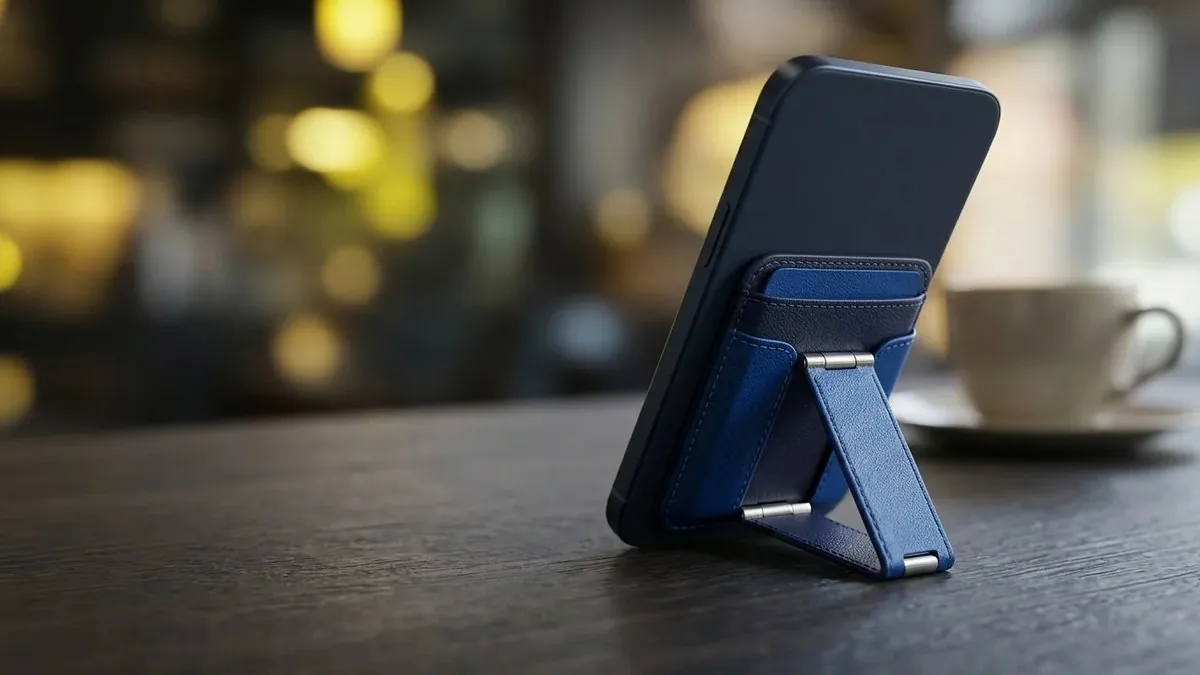
- Want a wallet that's also a stand? Look at fold-out designs such as the MOFT Snap Field or Native Union Active Wallet Magnetic Stand, both sold by Apple for the iPhone 17 line.
- Just need a stand? A thin magnetic grip like the PopSockets Low-Pro Grip & Stand ($39.95 at Apple) props the phone up in portrait or landscape.
- Remember the charging rule: take any wallet off before you put the phone on a MagSafe or Qi2 charger.
Price and buy-or-wait status today
Disclosure: some links on this page may be affiliate or shop links. If you buy through them we may earn a commission at no extra cost to you. This does not change our picks.
A MagSafe wallet or stand is one of the cheapest ways to make an iPhone more useful. It can replace a bulky wallet for daily errands, or turn the phone into a hands-free screen on a plane tray. This guide covers what to look for, what to avoid, and real product lines that Apple's own store lists as compatible with the iPhone 17 family.
We have not tested these accessories. The product details come from the listings on Apple's online store and from Apple's support pages, checked on Nov 16, 2026. We name products as examples of each type, not as ranked winners.
Why MagSafe accessories work on every iPhone 17
All current iPhones from the iPhone 12 onward have a ring of magnets behind the back glass. On the iPhone 17 series that ring also handles fast wireless charging: Apple lists MagSafe and Qi2 charging at up to 25W with a 30W or higher adapter on the iPhone 17 Pro, as we covered in our iPhone 17 Pro review. The same magnets hold wallets, grips and stands in place.
Two practical points follow from that:
- A case can weaken the hold. A wallet or stand needs a case with its own MagSafe magnets, or no case at all. A thick case without magnets lets accessories slide off. Apple's own wallet says you can stack it on top of a case with MagSafe.
- One accessory at a time on the back. The magnet ring is shared. A wallet stuck to the phone has to come off before the phone can sit on a MagSafe charger or car mount.
For the charging side of MagSafe and Qi2, see our Qi2 and Qi2.2 25W explainer.
The charging and card safety rule
Apple's support page for the MagSafe Charger is direct about this: don't put credit cards, security badges, passports or key fobs between the iPhone and a MagSafe charger, because this can damage magnetic strips or RFID chips. If you use a case or wallet that holds cards, Apple says to remove them before charging or make sure they aren't between the phone and the charger.
In practice, that means a MagSafe wallet is a "pull it off, then charge" accessory. If you charge on a nightstand stand every night, that's easy. If you charge in a car mount several times a day, a wallet that lives on the phone gets annoying quickly, and a wallet case or a separate wallet may suit you better.
Apple says its own FineWoven wallet is shielded so it's safe for credit cards. Other makers make their own claims. Check the listing before you trust a hotel key card to any of them.
What to check before you buy
| Check | Why it matters |
|---|---|
| iPhone 17 model listed under compatibility | Apple's store lists compatible iPhone models on each accessory page. Make sure yours (17, Air, 17 Pro, 17 Pro Max or 17e) is named. |
| Card capacity | Ranges from two cards (MOFT Find My wallet) to eight (MOFT Snap Field) among the products below. More cards means more thickness. |
| Stand angles and orientation | Some stands only work in landscape. Look for portrait and landscape if you make video calls. |
| Find My or tracking | Useful because magnetic wallets can be knocked off in a bag. Check how it works: Apple's wallet reports its last known location; MOFT's Find My wallet has its own battery. |
| Fit over your case | Use a MagSafe case. Thick rugged cases without magnets weaken the hold. |
| Return policy | Magnet strength is hard to judge from a listing. Buy where returns are easy. |
MagSafe wallets
Apple FineWoven Wallet with MagSafe
Apple's own wallet is the simplest choice. Apple's store lists it at $59 and says it holds up to three cards, is shielded for credit cards, and supports Find My, so you can be notified of its last known location if it comes off the phone. It's made of Apple's FineWoven microtwill and comes in several colors. Apple lists it as compatible with every iPhone 17 model, including the iPhone Air and 17e.
Good for: people who carry a few cards and want the slimmest add-on. Not for: anyone who wants a built-in stand or more than three cards.
MOFT Find My MagSafe Wallet Stand
Sold by Apple at $49.95, this is a wallet, a stand and a tracker in one. Apple's listing describes a two-card wallet that you can track in the Find My app, with an 80mAh rechargeable battery, a 15N magnetic hold, a splash-resistant design and a 70dB alert. Because it has a battery, it needs occasional charging, which plain wallets don't.
MOFT Snap Field MagSafe Wallet Stand
Listed as "Only at Apple" for $49.95, the Snap Field holds up to eight cards behind a fold-over cover and flips into a stand. It's made from MOVAS vegan leather. It's the highest card count in this guide, so expect more bulk on the back of the phone.
Native Union Active Wallet Magnetic Stand
Apple sells this at $39.95. Native Union's listing on Apple's store describes a slim wallet for four cards that unfolds into a stand for portrait or landscape, with a rear access port for pushing cards out and a recycled, animal-free leather alternative.
MagSafe grips and stands
PopSockets Low-Pro Grip & Stand
At $39.95 on Apple's store, PopSockets calls this its thinnest accessory yet at 2.6 mm. It works as a grip and a stand in portrait or landscape, and its magnetic base can also stick to metal surfaces. It attaches to the phone or to any MagSafe-compatible case.
Hikawa Grip & Stand
An Apple-exclusive silicone grip and stand ($54.95) designed by Bailey Hikawa and made by PopSockets. Apple describes it as an adaptive accessory, designed with input from people with disabilities that affect muscle strength, dexterity and hand control. It doubles as a stand at two viewing angles, in portrait and landscape.
Charging stands (desk and travel)
If what you really want is a stand that also charges, look at a magnetic charging stand rather than a wallet. Two examples Apple's store lists for the iPhone 17 line:
- Belkin UltraCharge Pro 2-in-1 Convertible Magnetic Charger ($129.95 at Apple): Qi2 25W certified, works as a stand or a flat pad in landscape or portrait, and charges an Apple Watch too. Belkin includes a 45W power adapter and cable.
- Twelve South Forté for MagSafe Charger ($39.95 at Apple): an aluminum stand that holds Apple's MagSafe Charger (not included) at an adjustable angle of up to 75 degrees.
Our iPhone 18 Pro Max charger guide explains Qi2 25W certification; the advice applies to the iPhone 17 line too.
Quick comparison
| Product (Apple store listing) | Type | Cards | Stand | Tracking | Apple price |
|---|---|---|---|---|---|
| Apple FineWoven Wallet with MagSafe | Wallet | Up to 3 | No | Find My (last known location) | $59 |
| MOFT Find My MagSafe Wallet Stand | Wallet + stand | 2 | Yes | Find My, 80mAh battery | $49.95 |
| MOFT Snap Field MagSafe Wallet Stand | Wallet + stand | Up to 8 | Yes | No | $49.95 |
| Native Union Active Wallet Magnetic Stand | Wallet + stand | 4 | Yes | No | $39.95 |
| PopSockets Low-Pro Grip & Stand | Grip + stand | None | Yes | No | $39.95 |
| Hikawa Grip & Stand | Adaptive grip + stand | None | Yes | No | $54.95 |
Prices as shown on Apple's US online store on Nov 16, 2026. Other retailers and colors may differ.
Which type should you get?
- A few cards, nothing else: a slim wallet like Apple's.
- Video on planes or video calls: a wallet stand saves carrying two accessories.
- You often lose things: a wallet with Find My support.
- You charge wirelessly many times a day: a grip you can pop off, or a charging stand, instead of a wallet that lives on the phone.
- iPhone Air owners: a wallet adds noticeable thickness to a very thin phone; the 2.6 mm PopSockets grip is the lightest add-on here. See our iPhone Air vs iPhone 17 Pro comparison.
What to avoid
- Listings that say "magnetic" but not MagSafe-compatible. Weak magnets mean wallets that slide off in a pocket.
- Charging with cards attached. Apple's guidance is to remove cards first.
- Thick non-magnetic cases. They defeat the point of a MagSafe wallet.
Looking for a MagSafe wallet, grip, stand or case for your iPhone 17? See our printed phone cases at the BriskNest shop. BriskNest is our sister store, run by the same company as Flagship Verdict.
Deciding when to buy the iPhone 17? See today's buy-now verdict, US price and what's coming next on iBuyReady.
Start here: iPhone 18 Pro Max Accessories: The Essentials Worth Buying
Read next in this topic:
FAQ
Do MagSafe wallets work with all iPhone 17 models?
Yes, if the wallet is MagSafe-compatible. Apple's store lists its FineWoven Wallet and the third-party wallets above as compatible with the iPhone 17, iPhone Air, iPhone 17 Pro, 17 Pro Max and 17e.
Can I charge my iPhone 17 with a MagSafe wallet attached?
No. Remove the wallet first. Apple says credit cards, badges, passports and key fobs should not sit between the iPhone and a MagSafe charger because it can damage magnetic strips and RFID chips.
Will a MagSafe wallet stick through a case?
It will through a case with built-in MagSafe magnets. Apple says its wallet can be stacked on a case with MagSafe. A thick case without magnets weakens the hold.
Which MagSafe wallet has Find My?
Apple's FineWoven Wallet with MagSafe supports Find My and can notify you of its last known location after it detaches. The MOFT Find My MagSafe Wallet Stand works in the Find My app as a tracker with its own rechargeable battery.
How we researched this
We have not hands-on tested any of these wallets or stands. We confirmed each product, its price and its iPhone 17 compatibility on Apple's US online store, and used Apple Support's MagSafe Charger page for the card and charging guidance. iPhone 17 Pro charging figures come from our earlier review, which cites Apple's specs. Prices were checked on Nov 16, 2026, and change often.
Sources
- Apple: iPhone FineWoven Wallet with MagSafe
- Apple Store: MOFT Find My MagSafe Wallet Stand
- Apple Store: MOFT Snap Field MagSafe Wallet Stand
- Apple Store: Native Union Active Wallet Magnetic Stand
- Apple Store: PopSockets Low-Pro Grip & Stand
- Apple Store: Hikawa Grip & Stand for iPhone
- Apple Store: Belkin UltraCharge Pro 2-in-1 Convertible Magnetic Charger
- Apple Store: Twelve South Forté for MagSafe Charger
- Apple Support: How to use your MagSafe Charger with iPhone
- Apple Support: iPhone 17 Pro technical specifications