

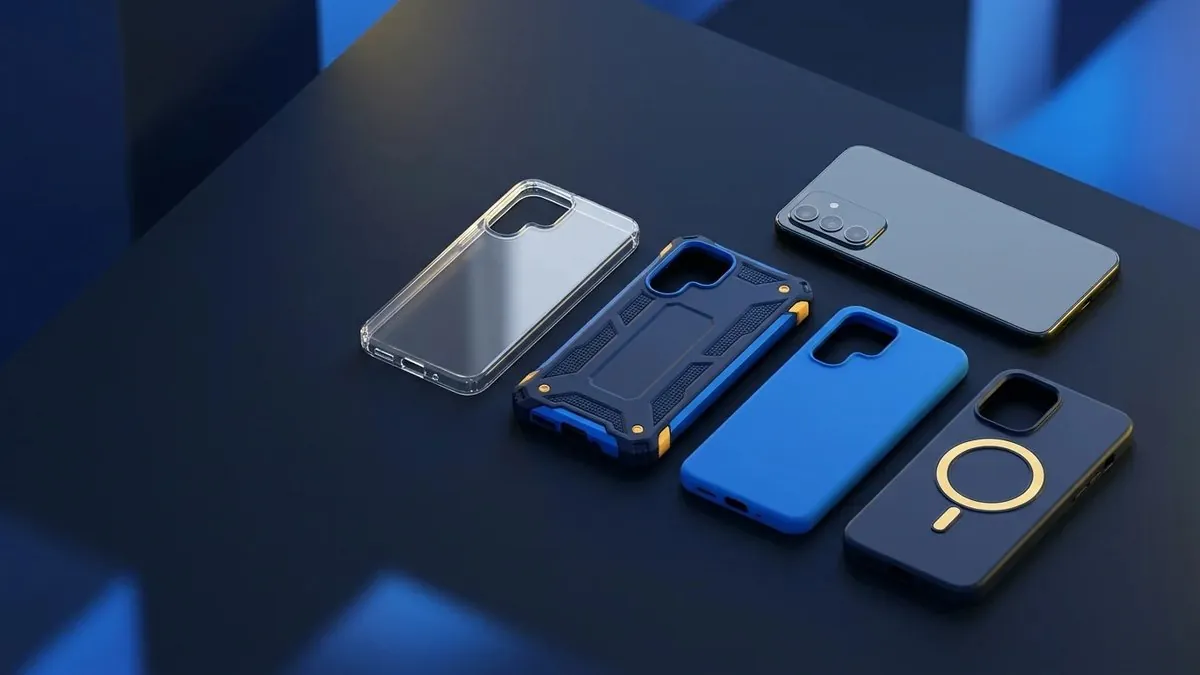
Published Nov 13, 2026. Maker pages and reports checked on Nov 13, 2026.
Quick verdict
- Most people should buy a magnetic case. The S26 Ultra has no built-in magnets, so a magnetic case is the only way to use Qi2 chargers, car mounts and wallets.
- If you use the S Pen a lot, consider Samsung's own magnetic cases first. The phone warns that magnets can interfere with the S Pen, and early reports say the warning appears with third-party magnetic cases, not Samsung's.
- Pick protection by lifestyle: slim (Samsung Slim Magnet, OtterBox Symmetry, Spigen Ultra Hybrid), rugged (Samsung Rugged Magnet, OtterBox Defender Series Pro, Spigen Tough Armor), or kickstand (Spigen Tough Armor or Ultra Hybrid S).
Price and buy-or-wait status today
The Galaxy S26 Ultra is harder to buy a case for than most phones. It has a built-in S Pen that needs an open slot, a large camera bump, an anti-reflective screen and no magnets of its own. This guide covers what to look for and names real case lines that their makers list for the S26 Ultra.
We have not tested these cases. The product details below come from the makers' own pages and from published reports. For chargers, cables and screen protectors, see our Galaxy S26 Ultra accessories guide.
What makes S26 Ultra cases different
No built-in magnets
None of the Galaxy S26 phones have Qi2 magnets inside. The S26 Ultra supports wireless charging, but magnetic chargers, stands, wallets and car mounts will only stay attached through a case with a magnet ring. Plain wireless charging pads still work without one; the magnets only matter for accessories that need to snap on and stay put.
The S Pen warning
The S26 Ultra's stylus talks to the screen using a signal that nearby magnets can disturb. SamMobile and Notebookcheck report that when a third-party Qi2 magnet case is attached, the phone shows a notice that magnets can interfere with the S Pen's signal, and suggests removing the accessory if writing or connection problems appear. Notebookcheck reports that Samsung's own magnetic cases appear not to trigger the warning, though Samsung hasn't explained the difference.
Samsung's own case pages also carry a general note that magnetic accessories may interfere with the S Pen, camera autofocus, compass, wireless charging and NFC. In other words, the risk is not zero with any magnet. If the S Pen is the main reason you bought an Ultra, choose a case you can return easily, or use a non-magnetic case.
Camera bump and magnet position
Android Authority noted that the Ultra's camera bump can get in the way of magnetic accessories. Spigen's own MagFit pages make a similar point: depending on its size, a magnetic accessory may interfere with the camera lens. Large battery packs and wide wallets are the most likely to clash.
Screen and fingerprint sensor
The front is Gorilla Armor 2 with an anti-reflective coating, and the fingerprint reader is ultrasonic. A case with a raised lip around the screen protects it face-down without adding glass that brings back reflections. If you do add a protector, choose one marked compatible with ultrasonic sensors. Our screen protector guide explains the trade-offs.
Buying checklist
| Check | Why it matters |
|---|---|
| Listed for "Galaxy S26 Ultra" by name | The S26 Ultra measures 163.6 x 78.1 x 7.9 mm. Camera and button cut-outs differ from other models, so buy a case listed for this exact phone. |
| Open S Pen slot | You should be able to eject the S Pen without removing the case. |
| Built-in magnet ring (if you want Qi2 accessories) | The phone has no magnets of its own. |
| Raised lips on the screen and camera | They take the impact when the phone lands face-down or on its back. |
| A stated drop rating | Look for a named standard such as MIL-STD-810H, or the maker's own drop multiple. Treat ratings as a guide, not a guarantee. |
| Return policy | Lets you swap a case if the S Pen or magnet accessories misbehave. |
Case types, with real examples
All product lines below are listed for the Galaxy S26 Ultra on the maker's own website. We have not handled them, and availability, colors and prices vary by country and retailer, so check the maker's page before buying.
Slim magnetic cases
Best for people who want light protection and Qi2 accessories without much bulk.
- Samsung Slim Magnet Case: Samsung lists it as 0.95 mm thin with an integrated magnet for Qi2 charging and magnetic accessories. Colors include black, light blue, grey and light violet. Samsung makes no drop-protection claim for it.
- Samsung Silicone Magnet Case: a soft-touch silicone case with an integrated Qi2 magnet, in several colors. Again, no drop rating is listed.
- OtterBox Symmetry Series: OtterBox describes it as ultra-thin with raised edges, built-in magnets for fast wireless charging and a 3X military drop standard rating.
- Spigen Ultra Hybrid (MagFit): a clear case with Spigen's MagFit magnets and no kickstand.
Rugged magnetic cases
Best for job sites, outdoor use, kids, or anyone who has cracked a phone before.
- Samsung Rugged Magnet Case: Samsung says it is tested to MIL-STD-810H, with five rounds of 26 drops from 1.22 m onto steel, and has an integrated Qi2 magnet, a padded inner layer and raised edges.
- OtterBox Defender Series Pro: OtterBox calls it its toughest S26 Ultra case, with tri-layer protection, magnets for fast wireless charging and a 7X military drop rating in its launch announcement. A holster is sold separately.
- Spigen Tough Armor (MagFit): Spigen lists impact foam, a built-in kickstand and MagFit magnets.
Kickstand cases
Useful if you watch video on flights or prop the phone up for video calls.
- Spigen Tough Armor (MagFit): rugged, with a built-in kickstand.
- Spigen Ultra Hybrid S (MagFit): clear, with a built-in adjustable kickstand.
A magnetic case plus a separate magnetic stand or grip is another way to get the same result, and you can remove the stand when you don't need it.
Clear cases
Samsung offers a Clear Magnet Case, which it says has an anti-yellowing and anti-fingerprint coating, and OtterBox and Spigen both sell clear magnetic versions (Symmetry Series clear and Ultra Hybrid). Clear cases show off the phone's color while keeping the magnet ring.
Quick comparison
| Need | Case type | Example lines (maker-listed) |
|---|---|---|
| Heavy S Pen use plus Qi2 | First-party magnetic | Samsung Slim, Silicone, Rugged or Clear Magnet Case |
| Thin and light | Slim magnetic | Samsung Slim Magnet, OtterBox Symmetry, Spigen Ultra Hybrid (MagFit) |
| Maximum protection | Rugged | Samsung Rugged Magnet, OtterBox Defender Series Pro, Spigen Tough Armor (MagFit) |
| Hands-free viewing | Kickstand | Spigen Tough Armor or Ultra Hybrid S (MagFit) |
| No magnet risk at all | Non-magnetic | Samsung also sells non-magnetic S26 cases (per SamMobile); check each maker's listing |
What to avoid
- Cases listed only as "Galaxy S26" or "S26 series" without the Ultra named in the size you pick. Read the variant before checking out.
- Stick-on magnet rings if you rely on the S Pen. They add magnets just like a magnetic case does, so Samsung's interference note applies, and they are harder to remove cleanly if problems appear.
- Cases with no raised lip around the camera. The Ultra's large camera module takes the hit on flat surfaces.
- Unbranded listings that copy big-brand names. Buy from the maker or a known retailer.
Still deciding on the phone itself? Read our Galaxy S26 Ultra review or compare it in S26 vs S26+ vs S26 Ultra.
Disclosure: some links on this page may be affiliate or shop links. If you buy through them we may earn a commission at no extra cost to you. This does not change our picks.
Need a magnetic case, Qi2 charger or screen protector for your S26 Ultra? See our printed phone cases at the BriskNest shop. BriskNest is our sister store, run by the same company as Flagship Verdict.
Start here: iPhone 18 Pro Max Accessories: The Essentials Worth Buying
Read next in this topic:
- Best iPhone 18 Pro Max Cases: What to Look For (2026)
- Galaxy S26 Ultra Accessories: Magnetic Case, Charger and More
- Best Galaxy S25 Accessories: Cases, Chargers and Magnets
- Best Galaxy S25 Ultra Cases: Magnets, S Pen and Protection
Brand hub: Samsung Galaxy S and A
FAQ
Does the Galaxy S26 Ultra need a magnetic case for Qi2 accessories?
Yes. The S26 Ultra has no built-in magnets, so magnetic chargers, mounts and wallets only stay attached through a case with a magnet ring.
Do magnetic cases affect the S Pen?
They can. The S26 Ultra shows a warning that magnets may interfere with the S Pen signal when a third-party magnetic case is attached, according to SamMobile and Notebookcheck. Reports say Samsung's own magnetic cases appear not to trigger it, but Samsung's case pages still note that magnetic accessories may cause interference.
Will a Galaxy S25 Ultra case fit the S26 Ultra?
Don't assume so. Buy a case the maker lists specifically for the Galaxy S26 Ultra so the camera, button and S Pen cut-outs line up.
What is the most protective Galaxy S26 Ultra case?
Among the lines we found, OtterBox calls its Defender Series Pro its toughest S26 Ultra case, and Samsung says its Rugged Magnet Case is tested to MIL-STD-810H. We have not drop-tested either.
How we researched this
We have not hands-on tested any of these cases. We used the makers' own product pages and press releases from Samsung, OtterBox and Spigen to confirm that each product line is offered for the Galaxy S26 Ultra and to note its stated features, and reporting from SamMobile, Notebookcheck and Android Authority for the S Pen and magnet issues. We left out prices because they vary widely by region and retailer.
Sources
- Samsung: Slim Magnet Case for Galaxy S26 Ultra
- Samsung: Silicone Magnet Case for Galaxy S26 Ultra
- Samsung: Rugged Magnet Case for Galaxy S26 Ultra
- Samsung: Clear Magnet Case for Galaxy S26 Ultra
- OtterBox: Galaxy S26 Ultra Symmetry Series case
- OtterBox: Galaxy S26 Ultra Defender Series case
- OtterBox: Full suite of cases for Samsung's Galaxy S26 series (Feb 25, 2026)
- Spigen: Galaxy S26 Series Case Tough Armor (MagFit)
- Spigen: Galaxy S26 Series Case Ultra Hybrid (MagFit)
- Spigen: Galaxy S26 Series Case Ultra Hybrid S (MagFit)
- SamMobile: Galaxy S26 Ultra's S Pen doesn't like third-party Qi2 magnet cases
- Notebookcheck: Samsung Galaxy S26 Ultra issues warning on MagSafe cases
- Android Authority: Every Pixel 11 phone supports Qi 2.2 (S26 magnet comparison)
- GSMArena: Samsung Galaxy S26 Ultra full specifications
Related reading
- Galaxy S26 Ultra Accessories: What to Buy
- Galaxy S26 Ultra Review
- Qi2 and Qi2.2 25W Wireless Charging Explained
Own a Galaxy S26 Ultra? Check its update status, known issues and support end date on OrbitVerdict.